


Fake Police Call
4.77.00 Reviews
App Specs
- Version
- 1.6.3
- Updated On
- License
- Free
- Downloads
- 10,000+
- Developer
- M.128KB
- Categories
- Parenting
- Platform
- Android
Screenshots

 Analysis by AppCompare
When a child is in the middle of a meltdown or ignoring a clear request, it can be tempting to reach for a quick distraction. Fake Police Call: Naughty Kids is built around that exact parenting impulse: it stages a pretend call from an officer as a way to interrupt misbehavior. I’d treat it as a novelty, not a shortcut to better boundaries. The difference matters, because a joke that one child finds amusing may genuinely unsettle another.
That trust question is worth considering before installing any parenting app that plays at authority. A child may not understand the call as pretend, especially if the adult presents it as real. I would keep the make-believe clear and brief, and avoid using the app to threaten a child with arrest or punishment. The app’s premise can create a moment of attention, but it cannot replace a calm explanation, a consistent consequence, or reassurance afterward.
What to check before trying a pretend call
I would begin by asking whether this style of humor fits my child, rather than assuming that a police voice will be persuasive. Some children enjoy role-play and quickly recognize a silly setup; others may be frightened by uniforms, authority figures, or the suggestion that they are in trouble with someone outside the family. If a child has already shown anxiety around police, emergency situations, or unfamiliar adults, I’d choose a different approach.
There is also a difference between using a playful interruption and asking a child to believe a deception. A parent can explain that the app makes pretend calls and invite the child into the joke, or use it as a light role-play after the child understands the setup. That may reduce the element of surprise, but it also avoids making trust the price of getting a moment of cooperation. For a family that values straightforward explanations, that trade-off is likely worthwhile.
Keep the adult in charge of the boundary
A useful way to judge this app is to ask what happens after the sound stops. If a child puts a toy away only because they think an officer is watching, the underlying expectation has not been explained. I would pair any playful interruption with a simple, direct instruction: what needs to stop, what the child should do next, and what will happen if the boundary is ignored. That keeps responsibility with the parent rather than handing it to an imaginary caller.
It also helps to decide on a limit before opening the app. Choose one specific moment where a brief novelty might reset the mood, rather than bringing it out every time a child resists. If it becomes a routine threat, children can lose interest, challenge the story, or start associating real police with discipline. A predictable family rule and a calm follow-through are usually more useful when the same behavior keeps returning.
What’s the Deal?
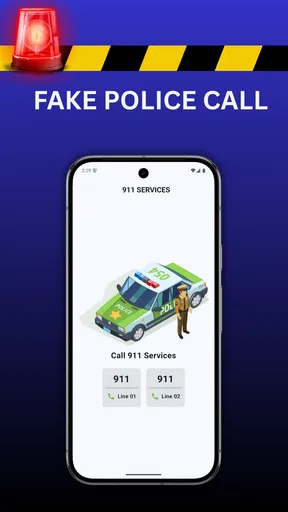
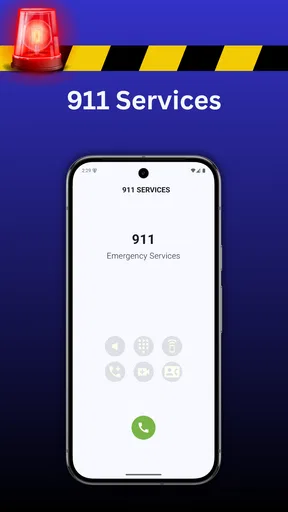
So, how does it work, you ask? Well, the Fake Police Call: Naughty Kids app is all about simulating a call from the police to help parents manage misbehavior in a light-hearted way. You can choose from different scenarios and recordings that make it seem like a real officer is on the line. The idea is to give kids a gentle nudge towards behaving without it being too intense or scary.
Worth Reading Before You Choose

EA SPORTS FC Mobile 26 Is a Bigger Football Game, but It Takes Time

Flipboard Shows What News Apps Must Do Beyond the Feed

Switching to Android Auto Means Rethinking Your Driving Routine

Google Calendar Makes a Crowded Week Easier to Manage

Ludo King Makes the Most of the Minutes Between Plans

Baby Panda World Brings Quick Play to Modern Phones, but Its Game Library Feels Busy
Setting Up the Call
Getting started is a breeze. Once you open the app, you’re greeted with a user-friendly interface. You can select different voices and messages depending on what you think will resonate most with your child. The app even lets you time the call so you can orchestrate the moment perfectly. Personally, I found the variety of options pretty neat, as it gives a personalized touch to every interaction.
For a practical test, I would prepare the moment before a stressful transition rather than trying to improvise during an argument. For example, if a child is absorbed in play and you need to leave the park, first give the usual warning and clear instruction. If the family is comfortable with the joke, a pretend call might serve as a playful cue to switch activities—but I would still explain the real reason for leaving and follow through myself. It should not be used to make a child believe an officer is tracking or judging them.
Features Worth Mentioning
One feature that stood out to me was the ability to customize the caller name. You can set it up as "Officer Friendly" or any other name that might stick with your little one. There are also different themes you can choose from, which keeps things fresh if you plan on using the app more than once. It’s all about keeping the experience engaging and believable for the kids.
The recordings themselves are quite convincing. They’re professional, with a friendly yet authoritative tone that strikes the right balance. I also appreciated the option to record your own message. This lets you add a personal touch, which could be more effective depending on your child’s personality.
Those choices also create a small but important responsibility for the adult. A customized voice or name can make a pretend call feel more personal, but greater realism is not automatically better parenting. I would avoid putting a child’s sensitive behavior, private family details, or embarrassing information into a recorded message. A short, harmless prompt keeps the joke contained and reduces the risk that a playful tool becomes a source of shame or pressure.
When and How to Use It
The app is designed to be a playful tool rather than a serious disciplinary measure. It’s perfect for those moments when you need a little extra support in getting your child to listen. However, it’s crucial to use it sparingly. Overusing it might lessen its impact or, worse, make kids anxious about seeing police officers. Like with any parenting tool, it’s all about balance.
In everyday use, I’d reserve it for a low-stakes moment when the child is already calm enough to enjoy pretend play. It is a poor fit for a safety issue, an intense tantrum, or a situation where a child needs comfort. If someone is running toward a road, for example, the parent needs to act directly and immediately; a staged call would only add delay. A silly interruption is best kept to ordinary household friction, not moments that demand clear attention and fast action.
A Few Things to Consider
While the idea is fun, it might not be for everyone. Some parents might feel uncomfortable with the concept of using a pretend authority figure to manage behavior. It’s essential to know your child and consider whether this approach is suitable for them. For some kids, the idea of a police officer calling might be more anxiety-inducing than helpful.
Compared with familiar parenting alternatives, this app is more theatrical than a visual routine chart, a countdown, or a direct choice between two acceptable options. Those approaches take more consistency from the adult, but they make the expectation visible and do not rely on a child believing a stranger is involved. A pretend call may catch attention faster in a narrow moment; it is less useful for teaching a repeated skill, such as getting dressed or ending screen time. If the same conflict happens daily, I’d favor a routine the child can understand and practice.
One practical question is whether the app can be used appropriately around other people. I would avoid playing a pretend police call in a public place where bystanders might mistake it for a real emergency or where the child could feel exposed. At home, the parent has more control over the setting and can stop the interaction immediately if the child looks worried. The best test is not whether the call sounds convincing, but whether the child remains comfortable and understands that the adult is still responsible.
The app is free, and its Everyone age rating makes it broadly accessible, but neither fact means every child will enjoy its premise. It comes from developer M.128KB and has a 4.4 average from around 277 ratings, with over 10,000 installs. I’d read that popularity as a sign that the concept has found an audience, not as proof that it suits every parenting style. It is an Android parenting app; the current version is 1.6.1 and it requires Android 5.0 or later.
That platform detail is useful if you are deciding whether it fits your household: this review concerns the Android app, so I would not assume the same experience is available on another device. Before using it, an adult can inspect the app’s visible settings and the permission prompts shown by the phone, then make a choice about whether to proceed. I would not enter personal details simply to make a pretend call feel more authentic. If a permission or prompt seems unrelated to the simple use you have in mind, pause and review it rather than granting access automatically.
Who will get the most from it?
I can see the appeal for a parent who wants a short, silly prop for occasional role-play and whose child already finds pretend authority figures funny rather than frightening. It may also suit families who can make the fiction explicit and then move quickly back to a normal conversation. It is less appropriate for children who take threats literally, are sensitive to loud or stern voices, or have a strong fear of police. Older children may simply recognize the setup and find it unconvincing, so the novelty can fade rather than improve cooperation.
If you decide to try it, choose the message in advance and keep the goal modest: interrupt a harmless stalemate, not secure obedience through fear. Afterward, explain the actual rule and notice the behavior you want to encourage. If the child reacts with worry, end the joke, reassure them plainly, and do not repeat it. That response is more important than getting the app’s timing or voice exactly right.
Final Thoughts
Overall, the Fake Police Call: Naughty Kids app is a clever and entertaining way to encourage better behavior. It’s an innovative approach that uses technology to assist in parenting, and when used thoughtfully, it can be a great addition to your toolkit. Just remember, it’s all in good fun, and the ultimate goal is to foster positive behavior through laughter and a bit of cheeky creativity.
If you’re curious to try it out, you can easily find the download links on our site. Give it a whirl and see if it becomes your new secret weapon in the quest for more peaceful playtimes.
Pros
- Entertaining prank for kids' parties.
- Simple interface
- easy for all ages.
- No internet required for core features.
- Customizable call settings for realism.
- Encourages imaginative play among children.
Cons
- Ads can interrupt gameplay frequently.
- Limited variety in call scenarios.
- Potentially scary for younger children.
- No parental control features available.
- In-app purchases can be pricey.
FAQs for Fake Police Call
What is Fake Police Call: Naughty Kids and how does it work?
Fake Police Call: Naughty Kids is an app designed for parents to use as a behavioral tool. It allows you to simulate a call from a police officer to encourage good behavior in children. The app features customizable call options, including voice messages and caller ID details, to make the experience more realistic.
Is Fake Police Call: Naughty Kids safe for children to use?
The app is intended for parental use and is safe when used appropriately. It’s designed to be a fun and harmless tool for behavior management. However, it’s important for parents to explain to children that it’s a simulation and not to use it as a means to scare them but to promote positive behavior.
Can I customize the police call in the app?
Yes, Fake Police Call: Naughty Kids offers a range of customization options. You can personalize the caller ID and select different voice messages to suit specific situations. This flexibility allows you to tailor the experience to better fit your child’s understanding and needs.
Does the app require an internet connection to function?
Fake Police Call: Naughty Kids does not require an active internet connection to function once it is downloaded. This makes it convenient for use anywhere, whether you're at home or on the go. However, an internet connection may be needed for initial download and updates.
Is Fake Police Call: Naughty Kids free to download and use?
The app is available for free download, but it may contain in-app purchases or ads. These options can enhance the app's functionality or remove ads for a smoother experience. Be sure to check the app store details for any additional costs before downloading.


